
75 lines
3.7 KiB
Markdown
75 lines
3.7 KiB
Markdown
# Overview
|
|
|
|
This will be a collection of free resources for ComfyUI.
|
|
|
|
Hopefully it will make creating cool stuff easier.
|
|
|
|
All of my nodes are created with the help of AI, so there may or may not be redundant, messy code.
|
|
|
|
## ▶️ YouTube Video
|
|
|
|
[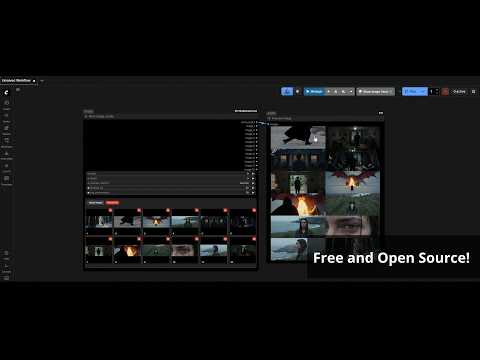](https://www.youtube.com/watch?v=GGuK4DPiEVw)
|
|
|
|
## ❓ How to install nodes
|
|
|
|
- Navigate to your `/ComfyUI/custom_nodes/ folder`
|
|
- Run `git clone https://github.com/WhatDreamscost/WhatDreamsCost-ComfyUI`
|
|
|
|
## 🔄 Recent Updates
|
|
*Coming Soon*
|
|
|
|
# ⚙️ Custom Nodes
|
|
|
|
## Multi Image Loader
|
|

|
|
|
|
An Image loader that features a built in gallery, allowing your to easily rearrange images and output them seperately or batched together. It also combines the image resize node and LTXVPreprocess node to reduce clutter in LTX workflows.
|
|
|
|
## LTX Sequencer
|
|

|
|
|
|
An overhaul of the LTXVAddGuideMulti node. It allows you to quickly create FFLF (First Frame Last Frame) videos, shot sequences, supports any number of middle frames.
|
|
|
|
Connect the Multi Image Loader node's multi_output to automatically update the node's widgets.
|
|
|
|
It also has a sync feature that syncs all LTX Sequencer nodes together in realtime, removing the need to edit every single node manually every time you want to make a change to something.
|
|
|
|
|
|
|
|
## LTX Keyframer
|
|
<img width="612" height="563" alt="LTX_Keyframer_Node" src="https://github.com/user-attachments/assets/c4583a8b-4d48-4179-8d64-748ddd07b314" />
|
|
|
|
An overhaul of the LTXVImgToVideoInplaceKJ node. It allows you to quickly create FFLF (First Frame Last Frame) videos and shot sequences. Also upports any number of middle frames.
|
|
|
|
Connect the Multi Image Loader node's multi_output to automatically update the node's widgets.
|
|
|
|
It also has a sync feature that syncs all LTX Keyframer nodes together in realtime, removing the need to edit every single node manually every time you want to make a change to something.
|
|
|
|
**I would recommend only using the LTX Sequencer Node as it is superior to this node after further testing**
|
|
|
|
|
|
## 💡 Workflows
|
|
<img width="2720" height="990" alt="LTX IMG2VIDEO FIRST MIDDLE LAST FRAME 3 STAGE OPTIMIZED WORKFLOW v3" src="https://github.com/user-attachments/assets/64ba23d8-4936-40bf-a431-741749f2a361" />
|
|
|
|
This is a compact LTX 2.3 workflow for I2V and First Frame, Middle Frame, Last frame video generation.
|
|
I seperated and organized everything into subraphs to make things as clean as possible, and added toggles to customize the workflow quickly.
|
|
|
|
Download workflows here: https://github.com/WhatDreamsCost/WhatDreamsCost-ComfyUI/tree/main/workflows
|
|
|
|
Or drag and drop image into ComfyUI to import workflow.
|
|
|
|
## ❗ Known Issues
|
|
**Multi Image Loader**
|
|
- Rearranging images sometimes gets finicky. I'll try and fix this soon. It may be due to my ComfyUI frontend not matching the backend.
|
|
|
|
**LTX Sequencer and LTX Keyframer**
|
|
- Will randomly re-arrange the widget values when loading workflows. It happens very rarely, and for some reason only happens to 1 node. It can be reversed by just re-syncing it with another node.
|
|
|
|
It may also be due to my ComfyUI frontend not matching the backend (that has been causing other issues with ComfyUI, still waiting for ComfyUI to fix the issues with latest version)
|
|
|
|
## 💡 Additional Info
|
|
|
|
I made these nodes knowing almost nothing about python and a beginner level knowledge of javascript. Feel free to suggest improvements, and if you run into any bugs let me know.
|
|
|
|
For those asking, I mainly used gemini to create these nodes.
|